> For the complete documentation index, see [llms.txt](/llms.txt).
# Manage networks
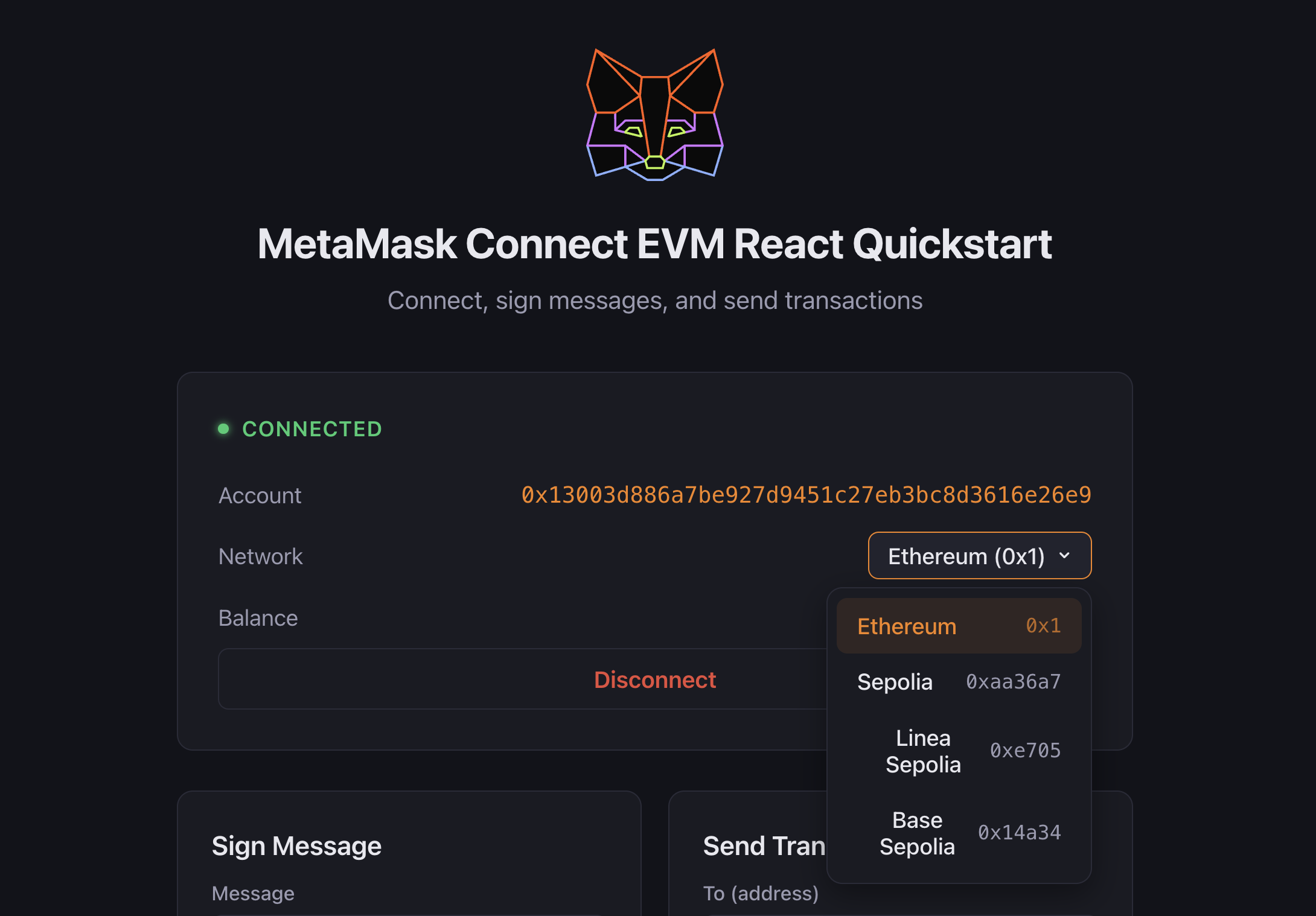
Use MetaMask Connect EVM to detect, switch, and add EVM networks in your dapp. MetaMask Connect EVM provides `getChainId` for detecting the current network, `switchChain` for switching between networks, and the `chainChanged` event for monitoring network changes in real time.
With MetaMask Connect EVM:
- **Detect the current network** and monitor network changes.
- **Switch between networks** programmatically.
- **Add new networks** to MetaMask.
- **Handle common network-related errors**.
[](https://demo-mmc-evm-react.vercel.app/)
## Prerequisites[](#prerequisites "Direct link to Prerequisites")
Follow the [JavaScript quickstart](/metamask-connect/evm/quickstart/javascript/) or [Wagmi quickstart](/metamask-connect/evm/quickstart/wagmi/) to install, initialize, and connect the EVM client.
## Detect and switch networks[](#detect-and-switch-networks "Direct link to Detect and switch networks")
With Vanilla JavaScript, implement network management using [getChainId](/metamask-connect/evm/reference/methods/#getchainid) to get the current chain ID, and [chainChanged](/metamask-connect/evm/reference/provider-api/#chainchanged) on the provider to track network switches.
With Wagmi, use the provided hooks for several network-related operations.
Start by detecting the current network:
- Vanilla JavaScript
- Wagmi
```
import { createEVMClient } from '@metamask/connect-evm'
const evmClient = await createEVMClient({
dapp: {
name: 'MetaMask Connect EVM Example',
url: window.location.href,
iconUrl: 'https://mydapp.com/icon.png', // Optional
},
api: {
supportedNetworks: {
'0x1': 'https://mainnet.infura.io/v3/YOUR_INFURA_API_KEY',
'0xaa36a7': 'https://sepolia.infura.io/v3/YOUR_INFURA_API_KEY',
},
},
})
// Get the current chain ID
function getCurrentChain() {
const chainId = evmClient.getChainId()
console.log('Current chain ID:', chainId)
return chainId
}
// Listen for network changes
const provider = evmClient.getProvider()
provider.on('chainChanged', chainId => {
console.log('Network changed to:', chainId)
// We recommend reloading the page
window.location.reload()
})
```
Switch networks using [switchChain](/metamask-connect/evm/reference/methods/#switchchain). Pass the optional `chainConfiguration` so unknown chains are added to MetaMask in the same step:
```
// Network configurations
const networks = {
mainnet: {
chainId: '0x1',
},
optimism: {
chainId: '0xA',
chainConfiguration: {
chainName: 'Optimism',
nativeCurrency: { name: 'Ether', symbol: 'ETH', decimals: 18 },
rpcUrls: ['https://mainnet.optimism.io'],
blockExplorerUrls: ['https://optimistic.etherscan.io'],
},
},
}
async function switchNetwork(networkKey) {
try {
await evmClient.switchChain(networks[networkKey])
} catch (err) {
if (err.code === 4001) {
console.log('User rejected network switch')
} else {
console.error('Error switching network:', err)
}
}
}
```
Display the current network and a switch network button in HTML:
```
)
}
```
Handle network changes:
```
import { useChainId } from 'wagmi'
import { useEffect } from 'react'
function NetworkWatcher() {
const chainId = useChainId()
useEffect(() => {
console.log('Chain ID changed:', chainId)
}, [chainId])
return null
}
```
## Best practices[](#best-practices "Direct link to Best practices")
Follow these best practices when managing networks.
### Error handling[](#error-handling "Direct link to Error handling")
- Implement error handling for network switching operations.
- Provide **clear feedback messages** to users when network operations fail.
- Handle cases where networks need to be **added before switching**.
### User experience[](#user-experience "Direct link to User experience")
- Display **loading states** during network switches.
- Show **clear network status information** at all times.
- Consider **warning users** before initiating network switches.
- Use an **RPC provider** that supports your target networks.
## Common errors[](#common-errors "Direct link to Common errors")
The following table lists common network management errors and their codes:
| Error code | Description | Solution |
| ---------- | ----------------------- | -------------------------------------------------------------------------------------------------------------------------------- |
| 4902 | Network not added | Use [wallet_addEthereumChain](/metamask-connect/evm/reference/json-rpc-api/wallet%5FaddEthereumChain/) to add the network first. |
| 4001 | User rejected request | Show a message asking the user to approve the network switch. |
| -32002 | Request already pending | Disable the switch network button while the request is pending. |
## Next steps[](#next-steps "Direct link to Next steps")
See the following guides to add more functionality to your dapp:
- [Manage user accounts](/metamask-connect/evm/guides/manage-user-accounts/)
- [Send transactions](/metamask-connect/evm/guides/send-transactions/)
- [Interact with smart contracts](/metamask-connect/evm/guides/interact-with-contracts/)