> For the complete documentation index, see [llms.txt](/llms.txt).
# Manage user accounts
Use MetaMask Connect EVM to connect wallets, retrieve user accounts, and handle session lifecycle in Vanilla JavaScript or Wagmi dapps. MetaMask Connect EVM provides `connect` for wallet access, `connectAndSign` and `connectWith` for single-step flows, and the `accountsChanged` event for tracking when users switch accounts.
With MetaMask Connect EVM, you can:
- **Connect users' wallets** to your dapp.
- **Access user accounts** (addresses).
- **Connect and sign** in a single user interaction.
- **Connect and execute** a JSON-RPC method in a single user interaction.
- **Handle connection states** (connected/disconnected).
- **Listen for account changes** in real time.
- **Manage wallet sessions** (connect/disconnect).
- **Support multiple wallet types** (extension, mobile app).
[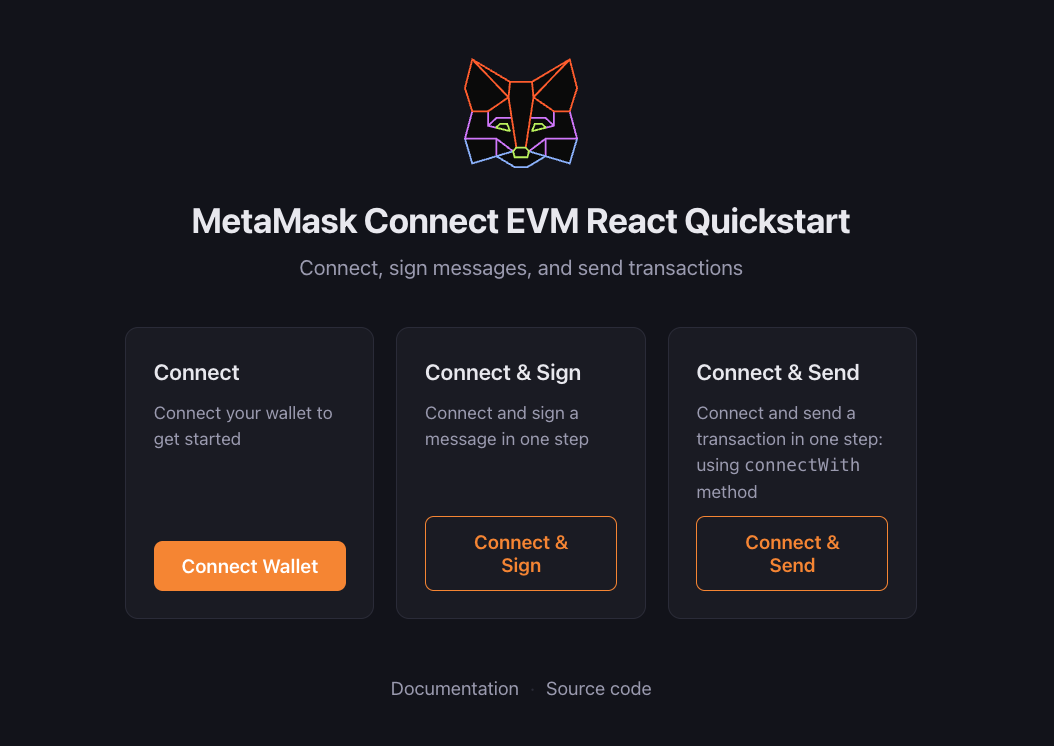](https://demo-mmc-evm-react.vercel.app/)
## Prerequisites[](#prerequisites "Direct link to Prerequisites")
Follow the [JavaScript quickstart](/metamask-connect/evm/quickstart/javascript/) or [Wagmi quickstart](/metamask-connect/evm/quickstart/wagmi/) to install and initialize the EVM client.
## Connect wallet[](#connect-wallet "Direct link to Connect wallet")
With Vanilla JavaScript, implement user authentication using [connect](/metamask-connect/evm/reference/methods/#connect) to establish a connection and get the user's accounts, and [accountsChanged](/metamask-connect/evm/reference/provider-api/#accountschanged) on the provider to track account switches.
With Wagmi, use the provided hooks for handling wallet connections.
- Vanilla JavaScript
- Wagmi
```
import { createEVMClient } from '@metamask/connect-evm'
const evmClient = await createEVMClient({
dapp: {
name: 'MetaMask Connect EVM Example',
url: window.location.href,
iconUrl: 'https://mydapp.com/icon.png', // Optional
},
api: {
supportedNetworks: {
'0x1': 'https://mainnet.infura.io/v3/YOUR_INFURA_API_KEY',
'0xaa36a7': 'https://sepolia.infura.io/v3/YOUR_INFURA_API_KEY',
},
},
})
// Connect wallet
async function connectWallet() {
try {
// Disable button while request is pending
document.getElementById('connectBtn').disabled = true
const { accounts, chainId } = await evmClient.connect({
chainIds: ['0x1', '0xaa36a7'],
})
const account = accounts[0]
console.log('Connected:', account, 'Chain:', chainId)
// Update UI
document.getElementById('status').textContent = `Connected: ${account} (chain ${chainId})`
document.getElementById('connectBtn').style.display = 'none'
document.getElementById('disconnectBtn').style.display = 'block'
} catch (err) {
if (err.code === 4001) {
console.log('User rejected connection')
} else {
console.error(err)
}
} finally {
document.getElementById('connectBtn').disabled = false
}
}
// Disconnect wallet
async function disconnectWallet() {
try {
await evmClient.disconnect()
} catch (err) {
console.error('Error with disconnecting:', err)
}
}
// Handle account changes
const provider = evmClient.getProvider()
provider.on('accountsChanged', accounts => {
if (accounts.length === 0) {
// User disconnected
document.getElementById('status').textContent = 'Not connected'
document.getElementById('connectBtn').style.display = 'block'
document.getElementById('disconnectBtn').style.display = 'none'
} else {
// Account changed
document.getElementById('status').textContent = `Connected: ${accounts[0]}`
}
})
```
Display connect and disconnect buttons in HTML:
```
Not connected
```
tip
After connecting, you can use [getAccount](/metamask-connect/evm/reference/methods/#getaccount) to read the currently selected account at any time without calling `connect` again.
```
import { useAccount, useConnect, useDisconnect } from 'wagmi'
function ConnectWallet() {
const { address, isConnected } = useAccount()
const { connectors, connect, isPending } = useConnect()
const { disconnect } = useDisconnect()
if (isConnected) {
return (
}
```
## Connect and sign[](#connect-and-sign "Direct link to Connect and sign")
Use MetaMask Connect EVM's [connectAndSign](/metamask-connect/evm/reference/methods/#connectandsign) method to request wallet access and sign a message in a single user interaction. Internally, this method uses [personal_sign](/metamask-connect/evm/reference/json-rpc-api/personal%5Fsign/) to sign the message. For example:
```
import { createEVMClient } from '@metamask/connect-evm'
const evmClient = await createEVMClient({
dapp: {
name: 'MetaMask Connect EVM Example',
url: window.location.href,
iconUrl: 'https://mydapp.com/icon.png', // Optional
},
api: {
supportedNetworks: {
'0x1': 'https://mainnet.infura.io/v3/YOUR_INFURA_API_KEY',
'0xaa36a7': 'https://sepolia.infura.io/v3/YOUR_INFURA_API_KEY',
},
},
})
async function handleConnectAndSign() {
try {
const { accounts, chainId, signature } = await evmClient.connectAndSign({
message: 'Hello in one go!',
})
console.log('Accounts:', accounts, 'Chain:', chainId, 'Signature:', signature)
} catch (err) {
console.error('Error with connectAndSign:', err)
}
}
document.getElementById('connectSignBtn').addEventListener('click', handleConnectAndSign)
```
The following HTML displays a **Connect & Sign** button:
```
```
tip
This one-step flow is unique to MetaMask Connect EVM's `connectAndSign` method. It's not part of Wagmi or other wallet libraries.
## Connect and execute[](#connect-and-execute "Direct link to Connect and execute")
Use MetaMask Connect EVM's [connectWith](/metamask-connect/evm/reference/methods/#connectwith) method to request wallet access and execute any [JSON-RPC method](/metamask-connect/evm/reference/json-rpc-api/) in a single user interaction. For example, connect and send a transaction at the same time:
```
import { createEVMClient } from '@metamask/connect-evm'
const evmClient = await createEVMClient({
dapp: {
name: 'MetaMask Connect EVM Example',
url: window.location.href,
iconUrl: 'https://mydapp.com/icon.png', // Optional
},
api: {
supportedNetworks: {
'0x1': 'https://mainnet.infura.io/v3/YOUR_INFURA_API_KEY',
'0xaa36a7': 'https://sepolia.infura.io/v3/YOUR_INFURA_API_KEY',
},
},
})
async function handleConnectAndSend() {
try {
const {
accounts,
chainId,
result: txHash,
} = await evmClient.connectWith({
method: 'eth_sendTransaction',
params: account => [
{
from: account,
to: '0xRecipientAddress',
value: '0x2386F26FC10000',
},
],
chainIds: ['0x1'],
})
console.log('Accounts:', accounts, 'Chain:', chainId, 'Transaction hash:', txHash)
} catch (err) {
console.error('Error with connectWith:', err)
}
}
document.getElementById('connectExecuteBtn').addEventListener('click', handleConnectAndSend)
```
The following HTML displays a **Connect & Send** button:
```
```
tip
This one-step flow is unique to MetaMask Connect EVM's `connectWith` method. It's not part of Wagmi or other wallet libraries.
## Best practices[](#best-practices "Direct link to Best practices")
Follow these best practices when authenticating users.
### User interaction[](#user-interaction "Direct link to User interaction")
- Only trigger connection requests in response to user actions (like selecting a button).
- Never auto-connect on page load.
- Provide clear feedback during connection states.
### Error handling[](#error-handling "Direct link to Error handling")
- Handle [common errors](#common-errors) like user rejection (code `4001`).
- Provide clear error messages to users.
- Fall back gracefully when MetaMask is not installed.
### Account changes[](#account-changes "Direct link to Account changes")
- Always listen for account changes.
- Update your UI when accounts change.
- Handle disconnection events.
### Chain support[](#chain-support "Direct link to Chain support")
- Listen for network/chain changes.
- Verify the current chain meets your requirements.
- Provide clear messaging when users need to switch networks.
Learn how to [manage networks](/metamask-connect/evm/guides/manage-networks/).
## Common errors[](#common-errors "Direct link to Common errors")
The following table lists common authentication errors and their codes:
| Error code | Description | Solution |
| ---------- | ----------------------- | --------------------------------------------------------- |
| 4001 | User rejected request | Show a message asking the user to approve the connection. |
| -32002 | Request already pending | Disable the connect button while the request is pending. |
| -32603 | Internal JSON-RPC error | Check if MetaMask is properly installed. |
## Next steps[](#next-steps "Direct link to Next steps")
See the following guides to add more functionality to your dapp:
- [Manage networks](/metamask-connect/evm/guides/manage-networks/)
- [Send transactions](/metamask-connect/evm/guides/send-transactions/)
- [Interact with smart contracts](/metamask-connect/evm/guides/interact-with-contracts/)